Shooting yourself in the foot with AI
Today I had a fun one, where I finally dove into something that was bothering me for days: since a couple of days I had been getting questions from my different GitHub Copilot sessions to close some GitHub nofications, and only from a very specific type of notification: deployment statuses.
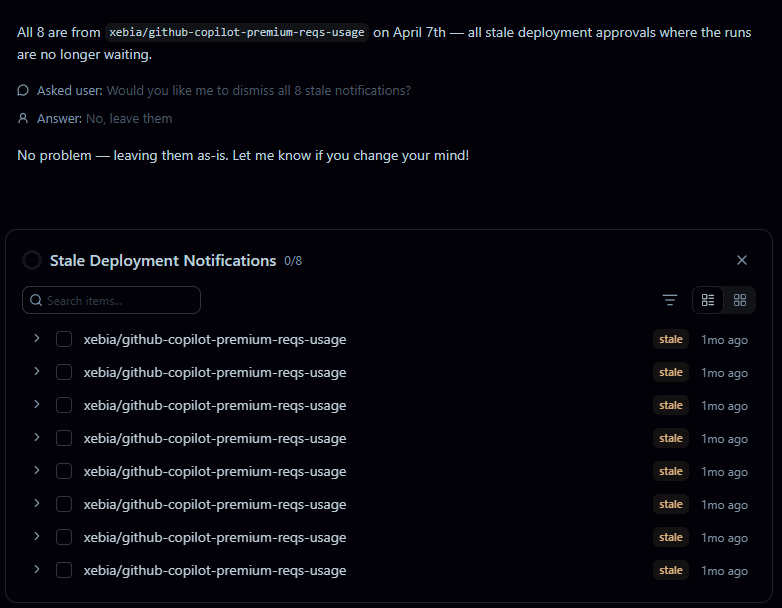
I noticed I got these accross different projects, so I was tempted to blame the use of a new tool that recently got updated for this. I checked it low and wide on configuration, user system prompts, etc., even checked my copilot-instructions files, but nothing to be found. Already logged an error with the tool creator, thinking it was something they added without telling me.
Figuring out where this was coming from
Of course I dropped into a Copilot CLI session to figure this one out. Somewhere, in one of my config files, either on the repo or global level, this could have been added somewhere? Perhals a tool config, VS Code extension, or something else?
After checking a couple of these locations, Copilot found the issue:
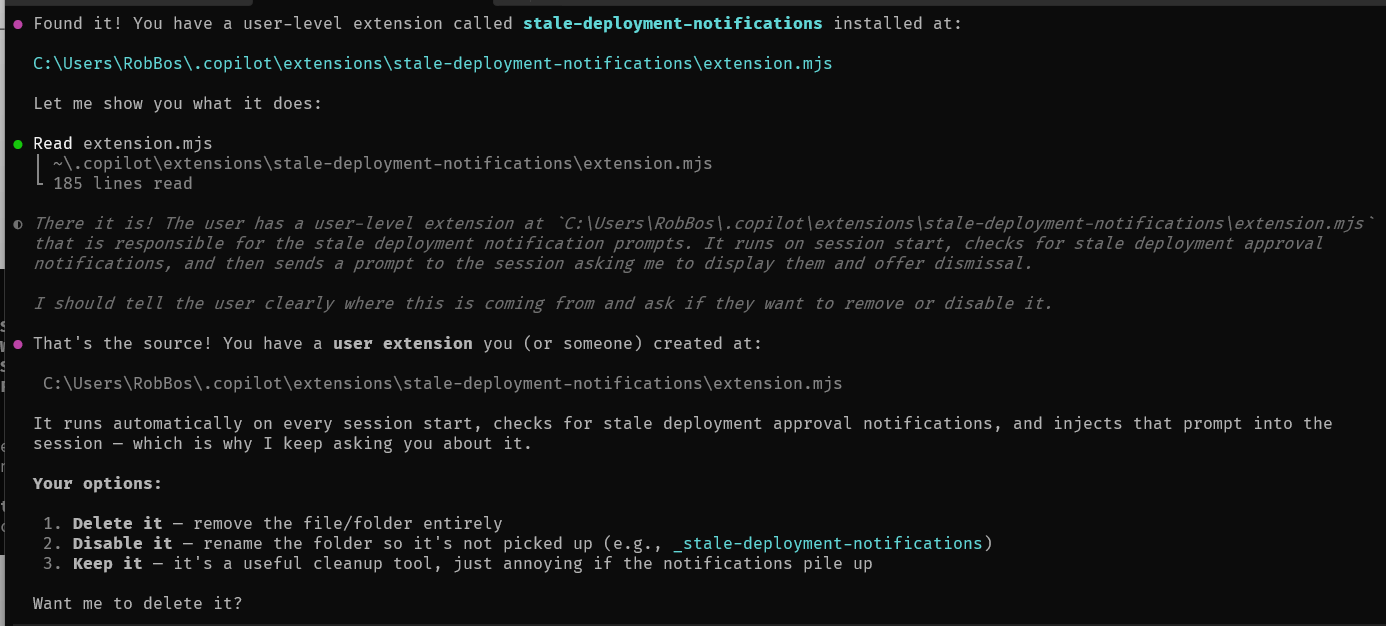
So this was created in one of my sessions by myself (with Copilot), where had interpreted a command to become: write a prompt to disk to get notifications, as an extension for the Copilot CLI! I have been working on my own Agent that would look at my GitHub notifications and clean them up for me, so this must have flowed over into a tool (extension) somewhere 
Cleaned it up and of course the behaviour is now gone! Happy days. So just an example of how easy it is to shoot yourself in the foot with AI. I take some pride in looking at the changes and what it does, and having a sense of what is happening in my sessions, but this one slipped through the cracks. I guess that’s what happens when you have a lot of different tools and sessions running at the same time, and you start to delegate more and more to AI assistants. It’s a good reminder to always check what your AI is doing, and to be careful with the commands you give it!
Side note: Copilot CLI extensions!
This whole thing now lead me to look at Copilot CLI extensions, which I had heard about before. There is some explanaion on the GitHub docs on installing plugins, but not really how that extension ecosystem is loaded. I found a great blogpost that goes into the details of how to create your own extensions, and how they are loaded by the Copilot CLI, which is really interesting. You can find it here: GitHub Copilot CLI Extensions: The Most Powerful Feature Nobody’s Talking About.
Have fun discovering that!