My Open Source Projects
Over the past few years I’ve been building a collection of open source tools focused on GitHub, DevOps automation, and more recently AI tooling. Some have hundreds of dependents, others are still in the planning phase. I wanted to share an overview of these projects in one place, both to highlight the work I’ve been doing and to hopefully inspire others to contribute or build their own tools in this space. Here’s a quick rundown of each project, with links to the repos and a brief description of what they do. Feedback / ideas / and submissions are always welcome!
DevEx Metrics
Repo: devex-metrics/devex-metrics
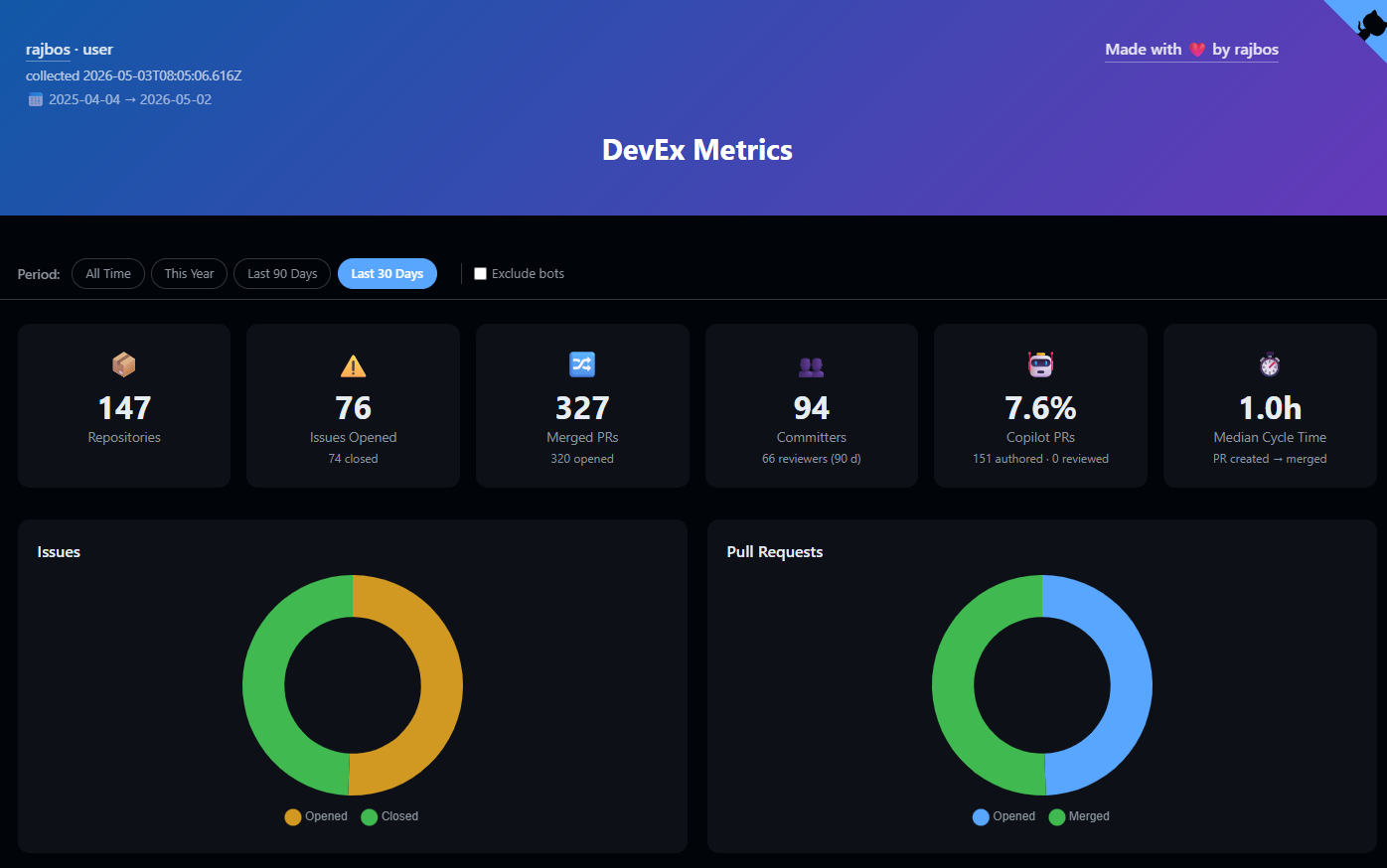
DevEx Metrics is a developer experience reporting and dashboarding tool for GitHub organisations and users. It collects a broad set of metrics — open, merged and closed pull requests, lines of code changed, comments and commits per PR, estimated GitHub Actions minutes consumed, unique committers and reviewers over the last 90 days, and dependent repository counts — and turns them into a Markdown report and an HTML dashboard you can host on GitHub Pages.
You can run it locally or schedule it as a GitHub Actions workflow for daily snapshots. Both Personal Access Token and GitHub App authentication are supported, and results are JSON-cached so you’re not hammering the API on every run.
The live dashboard is available with my own OSS data at devex-metrics.github.io/devex-metrics.
AI Engineering Fluency
Repo: rajbos/ai-engineering-fluency
Previously known as the “GitHub Copilot Token Tracker”, AI Engineering Fluency helps you track your AI token usage and fluency score across a lof of different AI coding tool out there: VS Code + GitHub Copilot, JetBrains IDEs, Visual Studio, Claude Code, Gemini CLI, Cursor, Continue, and more. All data is read from local session logs — nothing leaves your machine unless you explicitly opt in.
The extension shows near real-time token usage in the status bar alongside a fluency score dashboard. There’s also a JetBrains plugin, a Visual Studio extension, and a CLI (npx @rajbos/ai-engineering-fluency stats) for headless environments. Teams who want to aggregate data across engineers can spin up the self-hosted sharing server — a Docker + SQLite container that authenticates via GitHub sessions, with no Azure account required.

Alternative GitHub Actions Marketplace
Repo: devops-actions/alternative-github-actions-marketplace
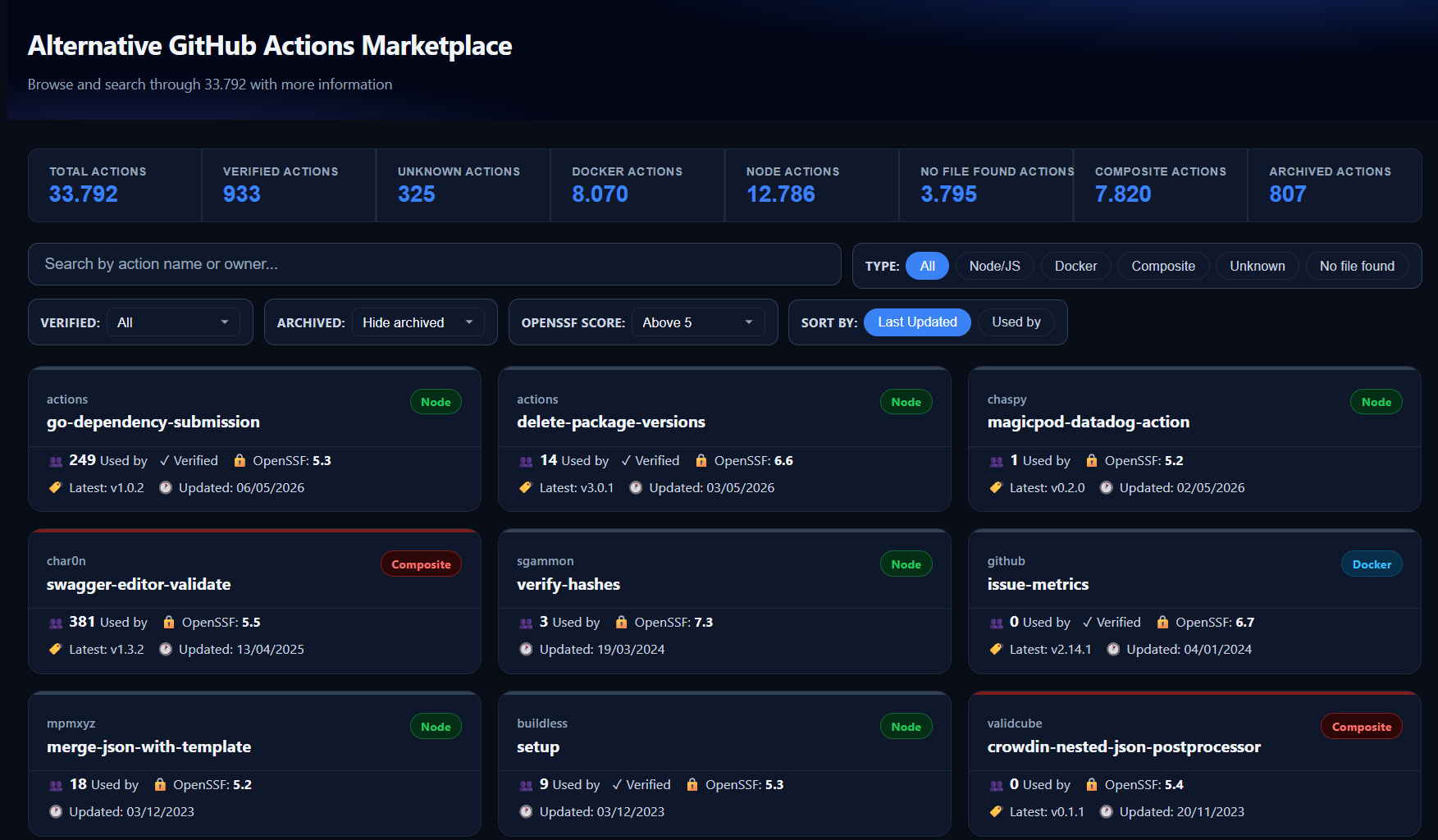
The official GitHub Actions Marketplace is functional but limited — no meaningful filtering, no dependents count, no easy way to evaluate community adoption. This project is my attempt at a better version.
It’s a React frontend backed by an Azure Functions API and Azure Table Storage, indexing 20,000+ GitHub Actions with search by name or owner, filtering by action type (Node/JavaScript, Docker, Composite), and showing the dependents count for each action so you can actually judge real-world adoption. Stack is Azure Static Web Apps (free tier) for the frontend, Azure Functions on a consumption plan for the API, and a companion npm package (@devops-actions/actions-marketplace-client) to push metadata into the store.
devops-actions Organisation
Org: github.com/devops-actions
The devops-actions organisation groups a set of GitHub Actions I’ve built for common CI/CD automation tasks. All actions follow supply-chain security best practices and are tracked with OpenSSF Scorecards.
| Action | Dependents | What it does |
|---|---|---|
| action-get-tag | 679 ⭐ | Read the current Git tag during a workflow run |
| actionlint | 319 ⭐ | Lint your GitHub Actions workflow files with actionlint |
| issue-comment-tag | 196 | Create or update a tagged comment on an issue or PR |
| variable-substitution | 73 | Substitute environment variables into config files |
| json-to-file | 58 | Write JSON content to a file in the workspace |
| load-used-actions | 18 | Scan a repo or org for all GitHub Actions in use |
| load-available-actions | 17 | List all public actions available in an org or user account |
| azure-appservice-settings | 6 | Push settings to an Azure App Service from a workflow |
| load-runner-info | 5 | Retrieve runner details (labels, OS, status) for an org |
| github-copilot-pr-analysis | 2 | Run GitHub Copilot PR analysis as a workflow step |
| load-dependents-count | 1 | Count how many repos depend on a given action or package |
| secure-action-inputs | 0 | Validate and sanitise inputs passed to an action |
The two most widely adopted are action-get-tag (679 dependents) — a simple utility for reading the current Git tag inside a workflow — and actionlint (319 dependents), which wraps the actionlint tool to lint your workflow YAML files in CI.
GHAzDoWidget
Repo: rajbos/GHAzDo-widget
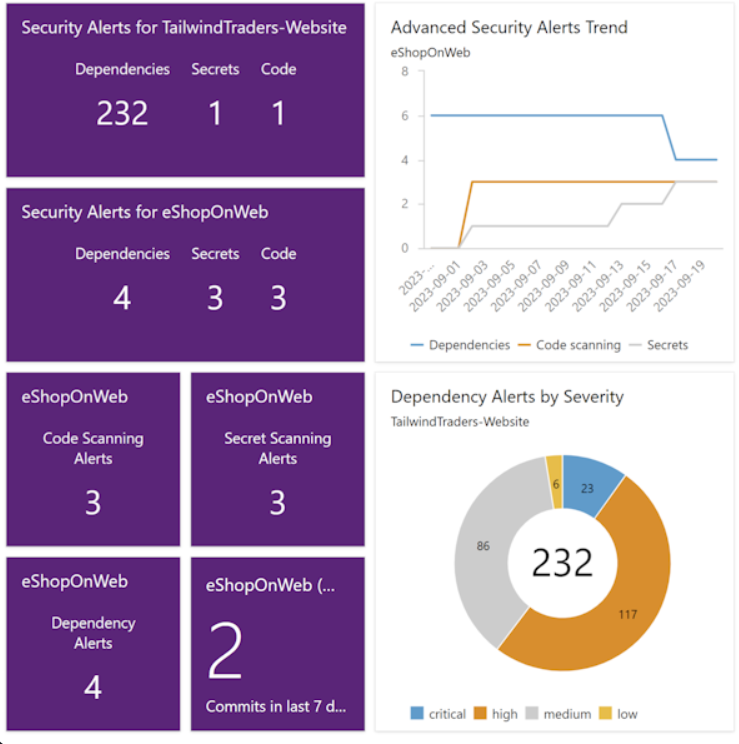
GHAzDoWidget is an Azure DevOps extension that shows GitHub Advanced Security alert counts directly in your Azure DevOps dashboards. If your source code lives in GitHub but your project management lives in Azure DevOps, this gets those alert totals — Dependabot, secret scanning, and code scanning — in front of you without having to switch context.
The extension ships in multiple widget sizes: a 2×1 combined overview, individual 1×1 tiles per alert type, and larger 2×2–4×2 widgets with trend lines, severity pie charts, open/dismissed/fixed status timelines, grouped-by-repo views, and a time-to-close scatterplot to visualise how quickly alerts get resolved.
Available on the Azure DevOps Marketplace.
Jarvis
Repo: rajbos/Jarvis
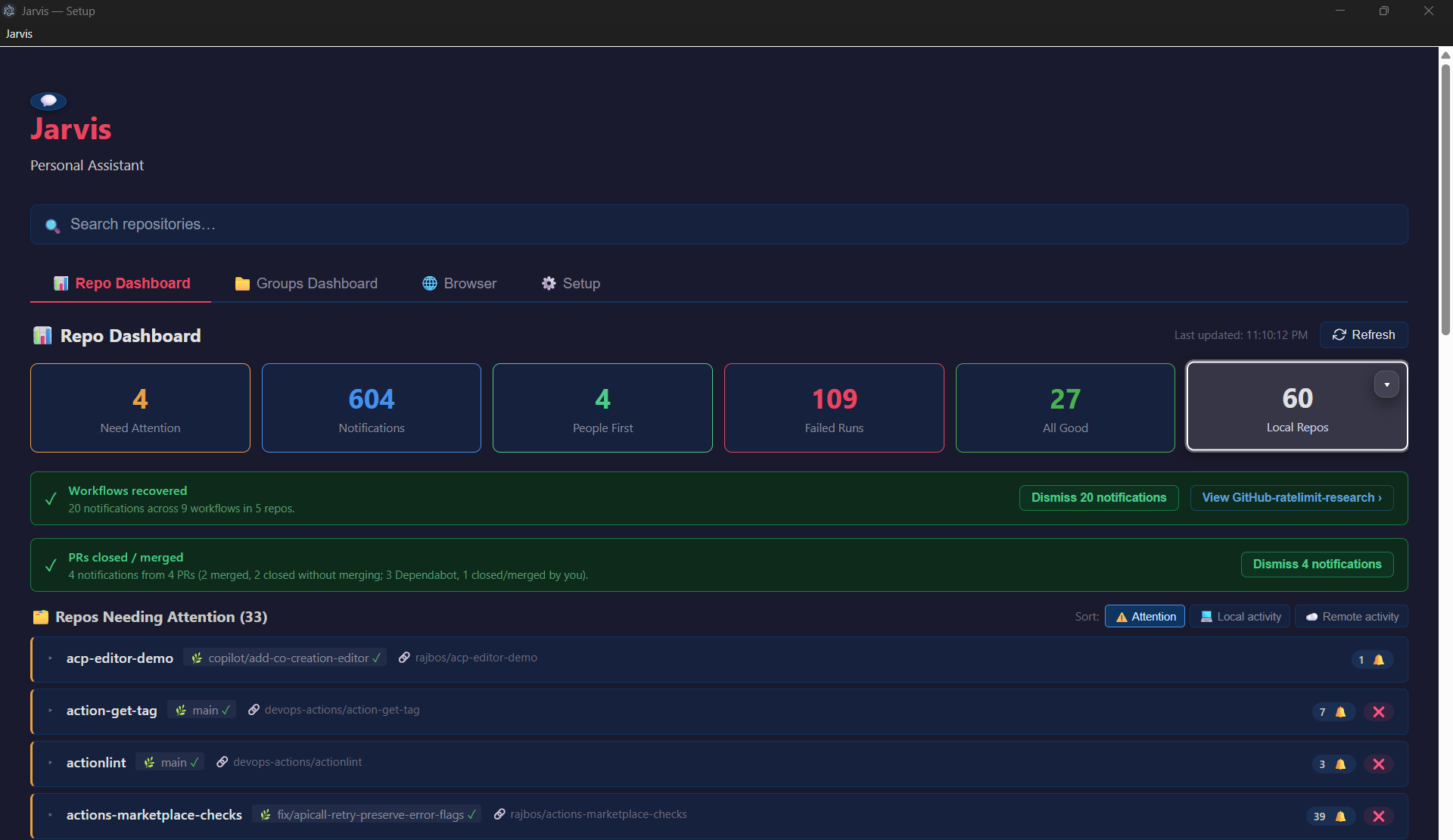
Jarvis is my personal, locally-hosted AI assistant — an Electron + TypeScript desktop app that lives in the system tray, starts automatically on boot, and sends all prompts to a local Ollama instance so nothing leaves my machine. New capabilities come in via MCP (Model Context Protocol) servers without needing to touch the core app.
The planned feature set reflects my own GitHub-heavy day-to-day:
- Guided onboarding to discover local Ollama models and connect GitHub via OAuth
- Automated GitHub maintenance tasks (secrets scanning, fork analysis, stale repo detection, dependency audits)
- Cross-repo activity tracking with weekly summary generation
- Async background jobs with rate-limit awareness
- Encrypted local SQLite store for config and conversation history
The project is currently in the first phases — the full architecture specification is in the repo if you want to follow along or contribute ideas.